> ## Documentation Index
> Fetch the complete documentation index at: https://docs.usesyndicate.org/llms.txt
> Use this file to discover all available pages before exploring further.
# The Agent Marketplace
> Browse specializations, see their skills and workflows, and add agents to teams or solo workspaces.
The Marketplace (**Agent Marketplace** in the sidebar) is where every agent specialization lives: Syndicate's built-ins, packages you have made, and packages imported from the community.
## The three tabs
| Tab | Contents |
| ------------- | -------------------------------------------------------------------------------- |
| **Syndicate** | 20+ built-in specializations maintained by Syndicate |
| **User Made** | Packages you created with [Agent Creator](/guides/agent-marketplace/agent-maker) |
| **Community** | Packages imported from GitHub repositories or local folders |
The left sidebar filters by package; the main panel shows the selected specialization's title, description, and skills.
## Reading a specialization page
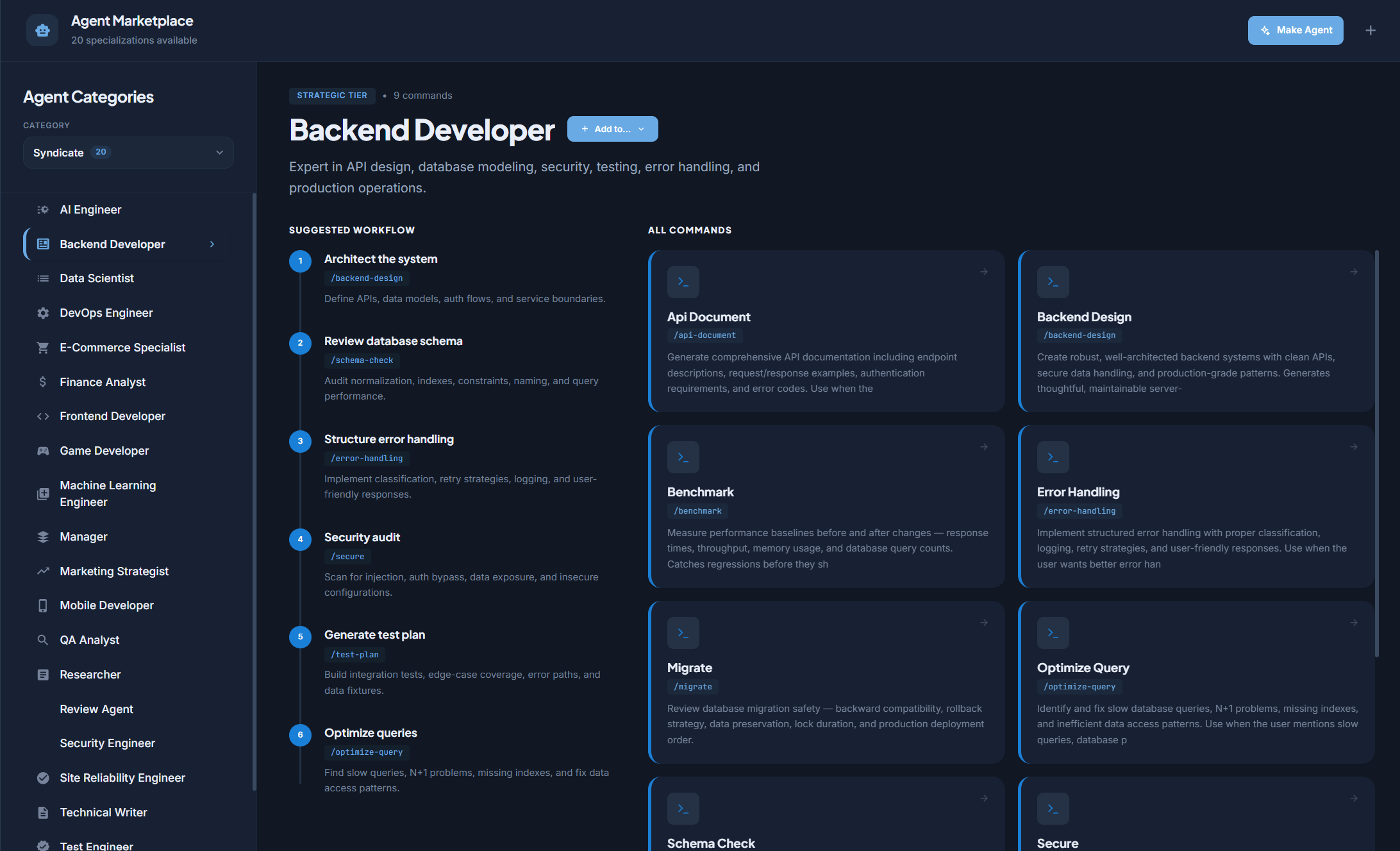 For built-in specializations you get:
* **Suggested Workflow**: a numbered sequence of slash commands showing how the role typically operates (for example the Manager: `/manager-design`, `/delegate`, `/status`, `/pipeline`, `/reflect`).
* **All Commands**: a card per skill with its name, slash command, and description.
Community and user-made packages show their full skill grid plus source metadata (GitHub link when available).
## Adding an agent from the Marketplace
* **Add to Team**: pick one of your multi-agent teams; the agent is created with that specialization. (A team can only have one Manager, so the Manager spec cannot be added twice.)
* **Solo agent**: create a standalone workspace with this specialization via the solo flow.
After adding, tune the agent in its [configuration panel](/features/agents#the-agent-configuration-panel): [Add and configure agents](/guides/add-and-configure-agents).
## Installing new packages
For built-in specializations you get:
* **Suggested Workflow**: a numbered sequence of slash commands showing how the role typically operates (for example the Manager: `/manager-design`, `/delegate`, `/status`, `/pipeline`, `/reflect`).
* **All Commands**: a card per skill with its name, slash command, and description.
Community and user-made packages show their full skill grid plus source metadata (GitHub link when available).
## Adding an agent from the Marketplace
* **Add to Team**: pick one of your multi-agent teams; the agent is created with that specialization. (A team can only have one Manager, so the Manager spec cannot be added twice.)
* **Solo agent**: create a standalone workspace with this specialization via the solo flow.
After adding, tune the agent in its [configuration panel](/features/agents#the-agent-configuration-panel): [Add and configure agents](/guides/add-and-configure-agents).
## Installing new packages
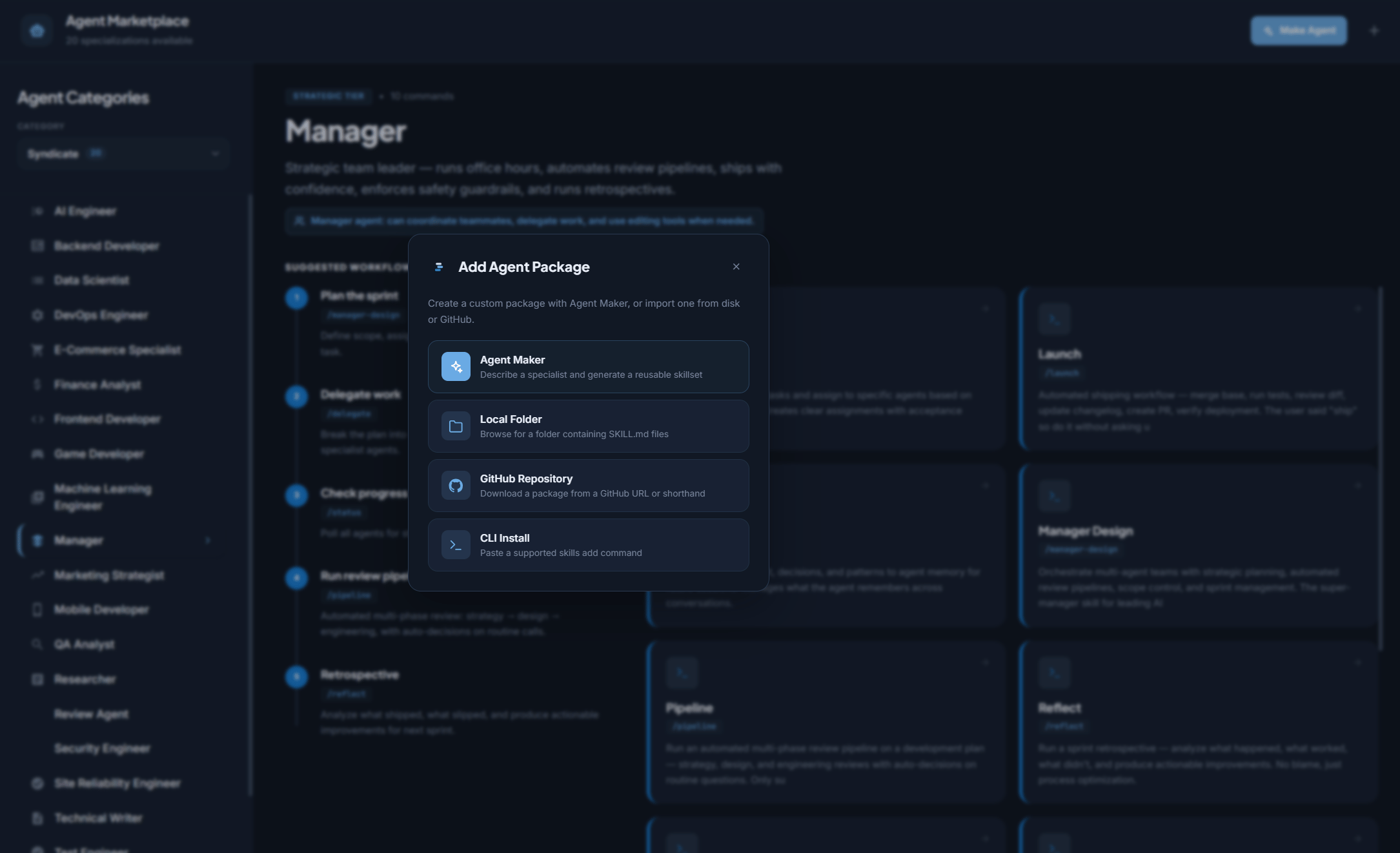 The **Add Agent Package** modal offers four methods:
1. **Agent Creator**: describe a specialist and generate the package. The main path for custom agents.
2. **Local Folder**: browse to a folder containing SKILL.md files.
3. **GitHub Repository**: paste a URL or `owner/repo` shorthand.
4. **CLI Install**: paste an `npx skills add` command.
Installed packages appear under their source tab, ready to use like any built-in.
## Go deeper
All 20+ built-in specializations.
Describe a specialist and generate the package.
Import packages from GitHub or local folders.
Tune model, Soul, context, skills, and tools after adding.
The **Add Agent Package** modal offers four methods:
1. **Agent Creator**: describe a specialist and generate the package. The main path for custom agents.
2. **Local Folder**: browse to a folder containing SKILL.md files.
3. **GitHub Repository**: paste a URL or `owner/repo` shorthand.
4. **CLI Install**: paste an `npx skills add` command.
Installed packages appear under their source tab, ready to use like any built-in.
## Go deeper
All 20+ built-in specializations.
Describe a specialist and generate the package.
Import packages from GitHub or local folders.
Tune model, Soul, context, skills, and tools after adding.